XferDB v0.2.0 — Postgres to Yugabyte, the Way It Should Be
I just shipped v0.2.0 of XferDB. Here's why I built it, and why it might be the database migration tool you've been looking for.
The Problem Nobody Talks About
You're running PostgreSQL. Life is good. Then someone says "we want to move to YugabyteDB" — the distributed, cloud-native SQL database that speaks Postgres wire protocol. Sounds great on paper.
And then the questions start.
How do you actually move the data? pg_dump doesn't know about Yugabyte. ysqlsh import doesn't know about Postgres. Your options quickly collapse into a rough shell script pipeline that breaks halfway through, a paid migration service that wants your credentials, or building your own ETL only to discover that sequences, custom types, vector indexes, and foreign key ordering each require a separate special case.
None of these feel right. I know because I've been there.
Database Migration Is Hard Work — Run It As Many Times As You Need
Here's the part nobody talks about until you've already gotten burned: production database migrations never go right on the first attempt.
You test on staging. You hit an edge case. You fix it, adjust a batch size, add a filter, re-order the foreign key dependencies. You run it again. Something else breaks. You iterate. This is normal — and a good migration tool should embrace it, not fight it.
XferDB is built around the assumption that you'll run migrations many times:
- Upsert by default — running the same migration twice is safe. New rows are inserted, changed rows are updated, nothing is deleted.
- Selective tables — if only one table failed, run the migration with --tables that_one_table and leave the rest alone.
- Checkpoint-based resume — if the process crashes or you Ctrl+C mid-migration, the next xferdb migrate picks up exactly where it left off.
- Truncate or recreate — when you need a clean slate, --truncate or --recreate-schema handles it cleanly.
The mental model is: migrations are cheap to run. Run them early, run them often, debug in lower environments, and when you're ready for production, you know exactly what will happen because you've already run it ten times.
No Vendor Lock-In — Postgres ↔ Yugabyte, Both Directions
This is the core promise: your data is yours, and you can move it wherever you need it.
XferDB treats PostgreSQL and YugabyteDB as peers. Not a one-way door, not a "migrate and you're stuck" situation. If you start on Postgres today and want to move to Yugabyte tomorrow — XferDB handles it. If you start on Yugabyte and need to move back to Postgres — XferDB handles that too.
The goal is simple: you own your migration path. Not your database vendor. Not the migration service holding your data hostage. A tool you download, run, and control — end to end.
And as XferDB grows, that same promise extends to more databases. Today it's Postgres, Yugabyte, MySQL, and SQLite. Tomorrow it's MongoDB, Cassandra, and vector databases. The same philosophy: no lock-in, move freely.
What's In the Box
1. Postgres ↔ Yugabyte — First-Class, Both Directions
XferDB treats Postgres and YugabyteDB as first-class citizens on both ends of the migration. When moving between the same family, it uses pg_dump and psql under the hood to preserve extensions (pgvector, PostGIS, pg_trgm), custom types, sequences with current values, vector indexes (ivfflat, hnsw), and table storage options.
2. Zero Dependencies — It Just Runs
XferDB is a single static binary. No JVM. No Python runtime. No npm install. Download the right binary for your OS, make it executable, and run it. That's the entire installation process.
3. No Surprises — Preflight Checks First
Before XferDB touches a single row, it runs a preflight check against both source and target — verifying connectivity, SSL, and permissions. If something is wrong, you get an actionable error, not a cryptic driver message three hours into a migration.
4. Three-Phase Migration — Done in the Right Order
Most migration tools do it wrong. XferDB does it in three deliberate phases:
- Schema — Creates all tables. Uses pg_dump/psql for Postgres→Yugabyte to preserve every schema detail.
- Data — Bulk transfers data with upsert semantics. Runs with indexes disabled for speed.
- Post-schema — Creates indexes and constraints after all data is loaded. On Yugabyte, this avoids triggering serializable DDL concurrency limits.
5. Parallel Everything
xferdb migrate --table-workers 5 --segment-workers 10
--table-workers 5: migrate 5 tables concurrently. --segment-workers 10: split each table into 10 parallel segments by PK range, so a single large table gets distributed across 10 goroutines reading and writing in parallel.
6. Pause, Resume, Crash Recovery
Every batch is checkpointed. If the process crashes, the next xferdb migrate resumes from the last saved position. No re-running the whole migration. No duplicate rows.
7. Live Progress You Can Actually Read
Per-table status, rows/second, read/write rates, ETA, and live resource usage — all in one screen. No guessing.
8. More Than Just Postgres
Postgres and Yugabyte are the headline today, but XferDB already supports MySQL and SQLite as both source and target. The adapter interface is pluggable — add a new database by implementing two interfaces.
9. API-First
The CLI is a thin HTTP client. The REST API is the core. Build your own UI, integrate it into your CI/CD pipeline, or drive it programmatically.
Download & Getting Started
Download the binary for your platform:
chmod +x xferdb-linux-amd64 sudo mv xferdb-linux-amd64 /usr/local/bin/xferdb
xferdb server
xferdb project create
--name prod-to-yugabyte
--source postgres://user:@pg-prod:5432/mydb?sslmode=require
--target postgres://user:@yugabyte-cluster:5433/mydb?sslmode=require
xferdb project preflight prod-to-yugabyte
xferdb migrate
What's Coming
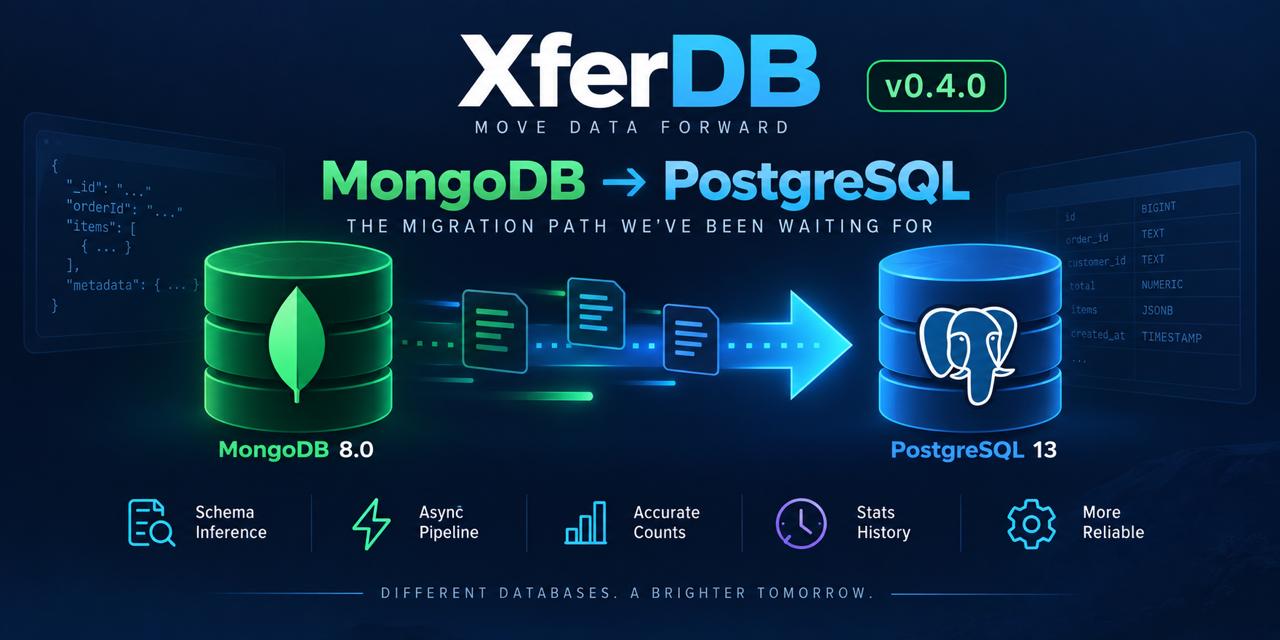
MongoDB adapter — NoSQL to SQL migrations handling denormalized documents and embedded arrays without custom ETL pipelines.
Cassandra support — Partition keys, TTLs, collection types, and the architectural difference between a global partition hash and a Postgres heap.
Vector database migration — Moving embeddings between Pinecone, Weaviate, Qdrant, and pgvector requires understanding embedding models, dimension counts, and index types (ivfflat, hnsw).
XferDB v0.2.0 is live. Your data, your infrastructure, your migration path.
XferDB is open source — fork it, contribute, or just see how it works:
Questions, bugs, or feature requests? Open an issue on GitHub.